
ADVERTISEMENT
Why Brown Stains Form on Your Iron
- Burnt fabric or starch buildup from ironing synthetic materials.
- Mineral deposits from tap water used in the steam function.
- Dust or residue sticking to the hot surface.
These stains can affect the iron’s performance and damage delicate fabrics. The good news? You can remove them easily with ingredients you probably already have in your kitchen.
The Genius Cleaning Trick
You’ll need:
- 1 tablespoon baking soda
- 1 tablespoon white vinegar or lemon juice
- A soft cloth or sponge
- A little water
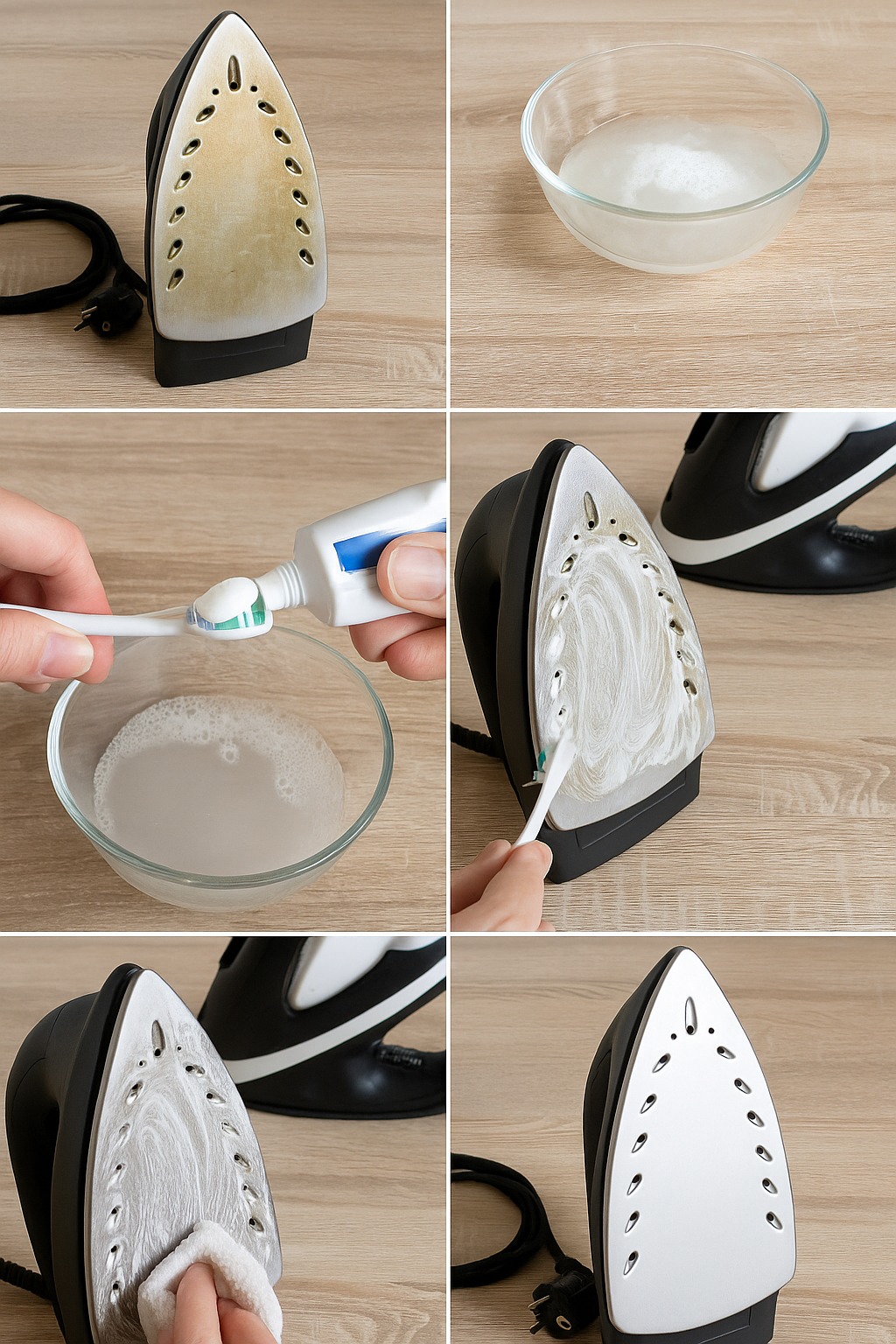
- Unplug the iron and let it cool completely.
Never clean a hot or plugged-in iron to avoid accidents. - Make the cleaning paste.
In a small bowl, mix baking soda with a few drops of vinegar or lemon juice. You’ll see a fizzing reaction — that’s normal! It means the ingredients are activating to break down buildup. - Apply the paste.
Using a soft cloth or sponge, gently rub the mixture onto the iron’s soleplate, focusing on stained or burnt areas. Avoid letting any liquid enter the steam holes. - Wipe clean.
Dampen a clean cloth with water and wipe away the paste completely. For steam holes, use a cotton swab dipped in vinegar to remove any residue. - Heat the iron.
Plug it in and set it to medium heat. Iron an old towel or cloth to remove any remaining residue and ensure the surface glides smoothly again. -
ADVERTISEMENT
